Legal Citation Extractor
Automatically identify and extract every case citation, statute reference, and regulatory citation from a legal document. Flags formatting issues and potential missing citations.
Free to try — one analysis per day before upgrading. Outputs are legal information, not legal advice.
Drag & drop a file here, or click to browse
Your content stays private. What you paste or upload is sent directly to Claude (Anthropic's AI) to generate the analysis — it is never stored on our servers, logged to a database, or seen by our team. Anthropic processes it under their Privacy Policy. Do not submit confidential or highly sensitive information unless your organization's AI use policy permits it.
Legal information, not legal advice. This tool helps you understand your situation and prepare your next steps — it does not replace advice from a lawyer who knows your full circumstances. Verify anything important against official sources, and consult a licensed attorney before decisions with significant legal or financial consequences. Do not input confidential client information. Outputs are generated by Claude and may contain errors.
What Is the Legal Citation Extractor?
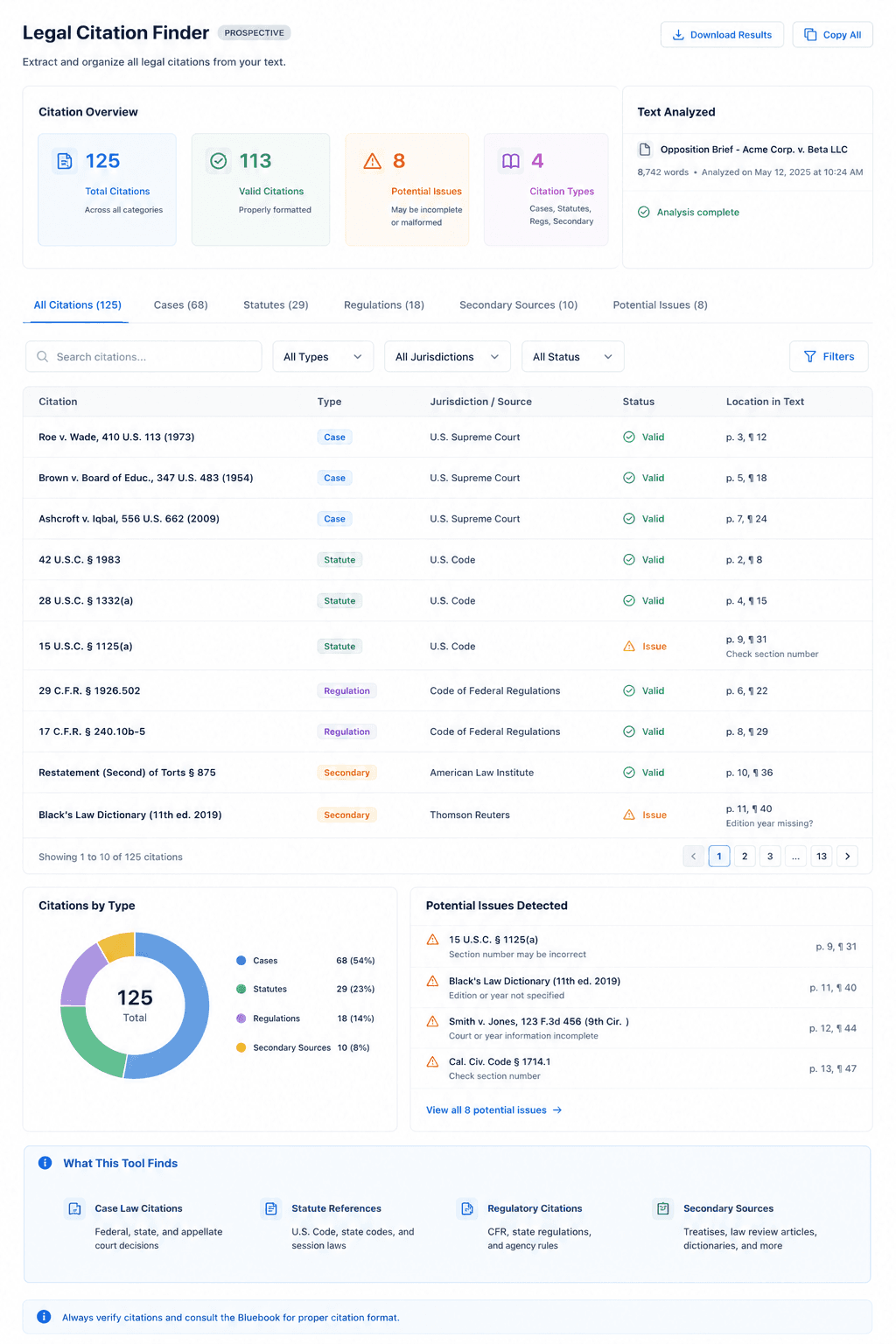
Legal documents are dense with citations — cases, statutes, regulations, secondary sources — and managing them accurately is both critical and tedious. A single brief may contain dozens of citations in varying formats, some correct, some garbled by word processors, and some missing entirely. The Legal Citation Extractor identifies and organizes every citation in your document.
The tool scans your text for all standard legal citation formats: Bluebook case citations (e.g., Roe v. Wade, 410 U.S. 113 (1973)), statute references (42 U.S.C. § 1983), regulatory citations (29 C.F.R. § 1926.502), and secondary source references. It compiles them into a clean, organized list and flags any that appear malformed or incomplete.
This is especially useful when reviewing a brief written by opposing counsel, auditing your own draft before filing, or building a research index from a collection of case materials. Rather than manually scanning every paragraph, you get a complete citation inventory in seconds.
Note: This tool extracts and organizes citations but does not verify that cited cases exist or that quoted holdings are accurate. Always verify all citations against Westlaw, Lexis, or CourtListener before filing or relying on them in legal work.
Example Output
How to Use This Tool
- 1Paste the text of your legal brief, memo, motion, or any document containing legal citations
- 2Click 'Extract Citations' — the tool scans for all standard legal citation formats
- 3Review the organized list of case citations, statute references, and regulatory cites
- 4Check flagged items for formatting issues and verify all citations in Westlaw or Lexis before filing
Who This Tool Is For
- ✓Attorneys auditing a brief draft for citation completeness and formatting before filing
- ✓Paralegals building citation tables and tables of authorities for long-form court submissions
- ✓Law clerks reviewing party briefs to catalog cited authorities
- ✓Legal researchers extracting the full citation list from academic articles or treatises
- ✓Associates performing cite-checks on work product before it goes to a partner for review
- ✓Legal operations teams indexing contracts that reference statutes and regulations
Frequently Asked Questions
What citation formats does the tool recognize?
The tool recognizes standard U.S. legal citation formats including Bluebook case citations, U.S. Code and C.F.R. citations, state statute references, Federal Register citations, and common secondary source formats. International citation formats may be partially recognized.
Does the tool verify that cited cases are real and the holdings are accurate?
No — the tool extracts and organizes citations as text. It does not connect to Westlaw, Lexis, or any legal database to verify accuracy. Always Shepardize or KeyCite citations before filing.
Can it detect citations that are missing but should be there?
The tool can sometimes flag where citations appear to be missing based on context (e.g., a legal proposition stated without a supporting cite), but this is not guaranteed. It excels at finding citations that exist in the text, not inferring ones that should be added.
Is this useful for a Table of Authorities?
Yes — the extracted citation list is an excellent starting point for building a Table of Authorities. You will still need to format it according to court rules and verify page references, but the extraction step saves significant time.