Legal Document Summarizer
Paste the text of any legal document — contract, brief, motion, agreement — and receive a structured executive summary covering parties, key terms, obligations, important dates, financial terms, and red flags.
Free to try — one analysis per day before upgrading. Outputs are legal information, not legal advice.
Drag & drop a file here, or click to browse
Your content stays private. What you paste or upload is sent directly to Claude (Anthropic's AI) to generate the analysis — it is never stored on our servers, logged to a database, or seen by our team. Anthropic processes it under their Privacy Policy. Do not submit confidential or highly sensitive information unless your organization's AI use policy permits it.
Legal information, not legal advice. This tool helps you understand your situation and prepare your next steps — it does not replace advice from a lawyer who knows your full circumstances. Verify anything important against official sources, and consult a licensed attorney before decisions with significant legal or financial consequences. Do not input confidential client information. Outputs are generated by Claude and may contain errors.
What Is the Legal Document Summarizer?
When a legal document lands in front of you — a lease, a service agreement, a severance package, a court filing — the first thing you need is an accurate picture of what is actually in it. Not a paraphrase of the opening paragraph, but the parties, the money, the deadlines, and the terms that will cost you if you miss them. This tool produces that in under a minute, for whoever is reading: a tenant, a founder, or a legal team triaging intake.
Unlike the Legal Text Summarizer (which focuses on a single clause or passage), this tool is designed for whole documents. It extracts and organizes all the critical information: the parties and their roles, the key terms and definitions, each party's core obligations, important dates and deadlines, financial terms and payment structures, and red flags that warrant closer attention.
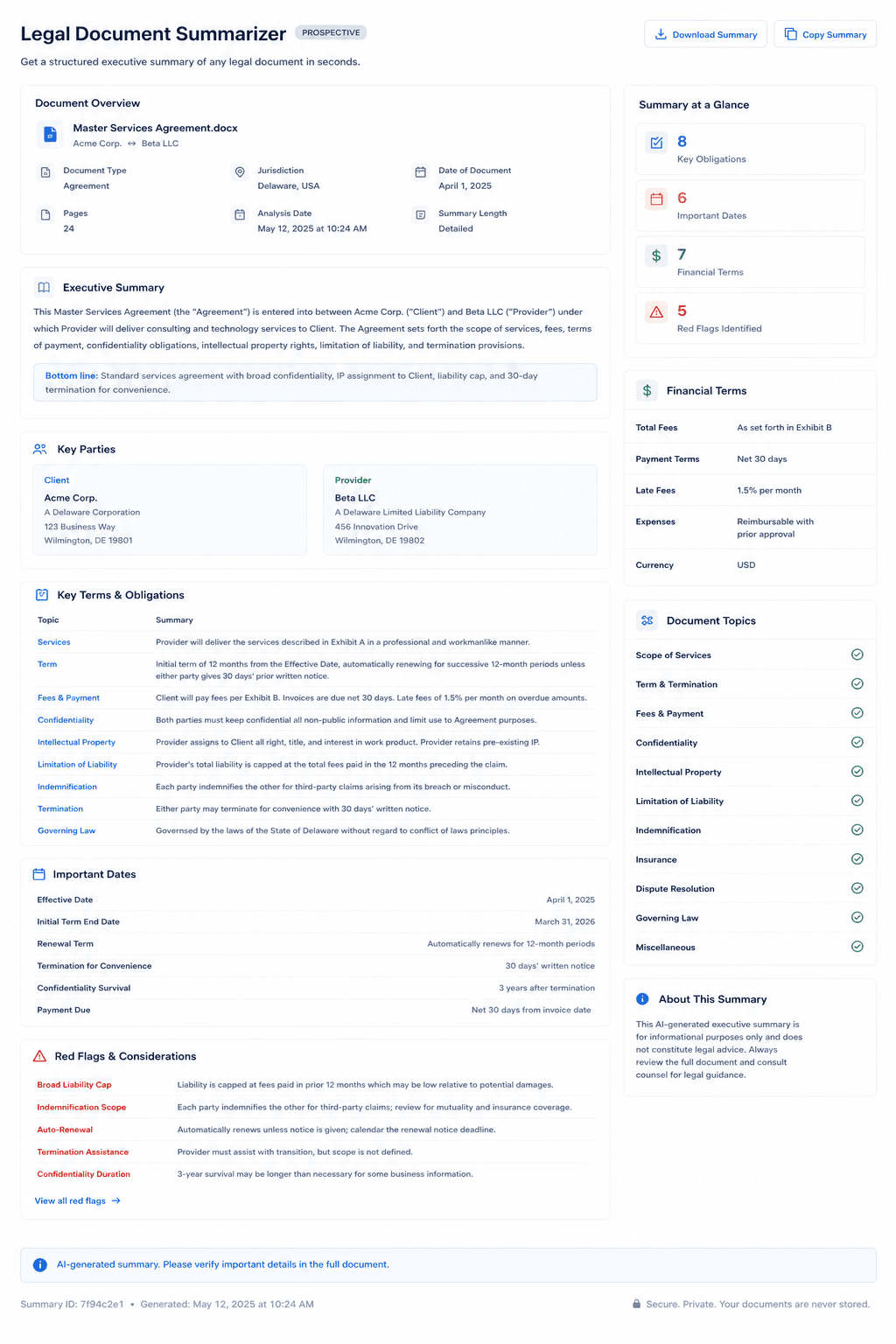
The output is structured like an executive memo — something you could forward to a colleague, or use yourself as a map before reading the full document. The red flags section is the part most worth your attention: it surfaces terms that are unusual, one-sided, or potentially unenforceable, which is exactly what a non-specialist reading a contract tends to skim past. For legal teams, the same output works as first-pass triage for high-volume intake.
For best results, paste complete document text up to 12,000 characters. For longer documents, focus on the operative provisions (excluding recitals, boilerplate, and signature pages) for the most useful summary. This tool is for informational purposes only and does not constitute legal advice.
Example Output
How to Use This Tool
- 1Paste the full text of your legal document or the operative sections (main terms, definitions, obligations) — up to 12,000 characters
- 2Click 'Generate Document Summary' and allow 20–30 seconds
- 3Review the structured executive summary: parties, key terms, obligations, dates, financial terms, and red flags
- 4Start with the red flags, then read those sections in the original document — the summary tells you where to look, and the full text is what you are actually bound by
Who This Tool Is For
- ✓Tenants reading a lease before signing, and checking it again when a landlord makes a demand
- ✓Anyone handed a severance agreement, settlement offer, or employment contract with a deadline attached
- ✓Founders and small business owners reviewing a vendor, client, or partnership agreement
- ✓In-house legal teams producing executive summaries of agreements for business stakeholders
- ✓Legal operations teams triaging high volumes of incoming contracts
- ✓Compliance teams summarizing regulatory orders, consent decrees, and enforcement notices
Frequently Asked Questions
What is the difference between this tool and the Legal Text Summarizer?
The Legal Text Summarizer is for individual clauses or short passages. The Legal Document Summarizer is designed for whole documents and produces a structured executive summary covering all the key components of the document as a whole.
What kinds of documents work best?
The tool works well on contracts, service agreements, NDAs, court filings, motions, regulatory orders, settlement agreements, and corporate governance documents. It is less useful for very long narrative documents like full judicial opinions (use the Case Brief Generator for those).
My document is longer than 12,000 characters. What should I do?
Paste the most important sections: the definitions, the core operative terms, the obligations, and the termination provisions. Skip recitals, exhibits, and standard boilerplate. This gives the tool the highest-signal content and produces the most useful summary.
Is the summary accurate enough to rely on without reading the document?
No, and not because of the AI alone — a summary of any kind is not what binds you. Read the full document, and use the summary to know which parts deserve slow reading. AI can also miss nuance, misread a defined term, or be unaware of a local rule that overrides what the contract says. Get a lawyer involved when the stakes justify it: the document commits you to significant money or a long term, something in the red flags looks serious, or you are being asked to sign under time pressure.